
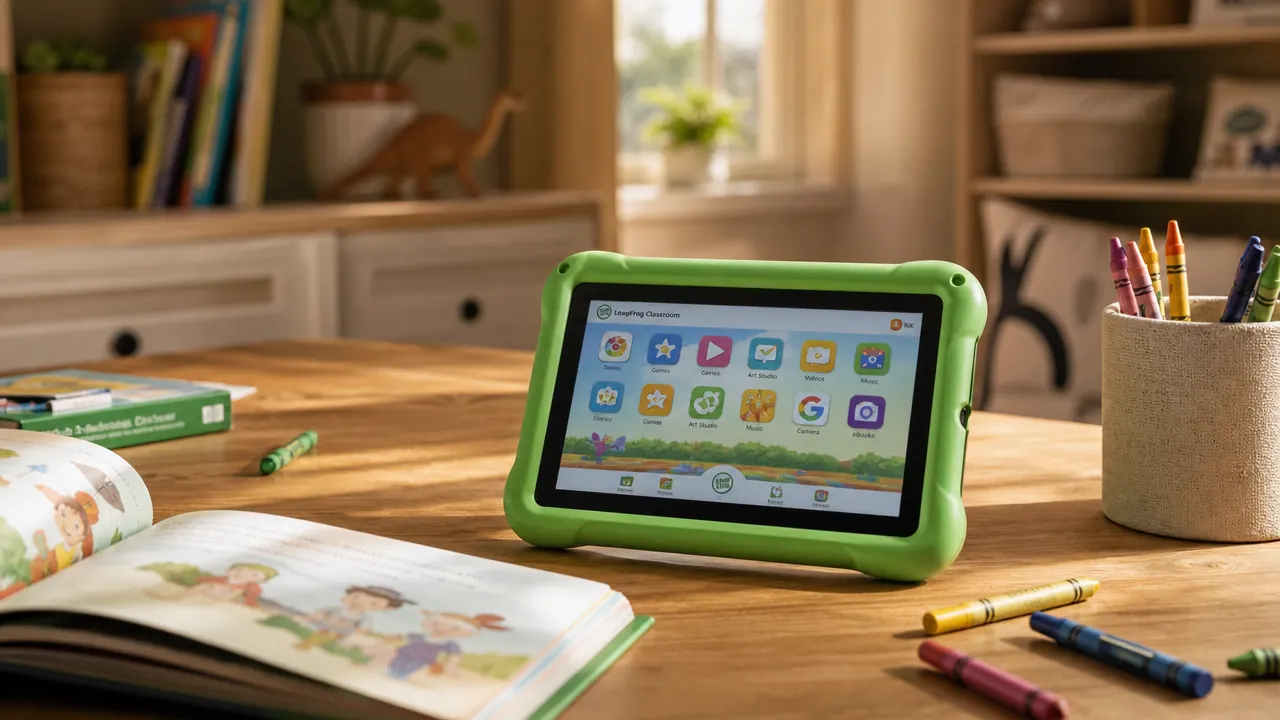
I want to tell you something I say to the parents in my classroom every fall: there is a big difference between a toy that looks educational and a tool that actually builds skills. I have been in early childhood education for nine years, four of them teaching preschool and five teaching second grade. I have tested more learning gadgets than I can count, and most of them sit on a shelf after two weeks. The LeapFrog LeapPad Academy is not one of those. But it also is not the magic tablet the box implies. Here is what nobody tells you, from someone who has watched dozens of four and five year olds interact with this device.
My son Theo was three and a half when we first put the LeapPad Academy in his hands. He is now almost five, and the tablet has been a regular part of our morning routine for well over a year. Between Theo at home and the two units I have borrowed from our school's resource room to use in my classroom, I have a lot of data. Not the kind of data LeapFrog publishes in a press release. The kind you only get from watching actual small humans fumble with a device, lose the stylus in a couch cushion, and beg to keep going past bedtime.
The Quick Verdict
A solid dedicated learning device for ages 3 to 6 with genuinely curriculum-aligned content, but the closed app ecosystem and outdated hardware mean it has a defined shelf life. Buy it for the learning window it serves, not as a long-term device.
Amazon Check Today's Price →You already know your kid will ask for screen time. The question is what they do with it.
The LeapPad Academy locks kids into a walled garden of actual learning content with no ads, no YouTube, and no algorithm deciding what comes next. It is not cheap, but it is the only tablet designed entirely around what a 3 to 6 year old actually needs to learn. Check the current price on Amazon and see if it fits your budget.
Amazon Check Today's Price on Amazon →What Nobody Tells You Before You Buy
Let me start with the things I wish someone had said plainly, because the reviews I read before buying were full of vague enthusiasm and not enough specifics.
First: the LeapPad is not a replacement for a real tablet. If your five year old is already using a Fire tablet or an iPad, handing them the LeapPad will feel like a demotion. The screen resolution is noticeably lower. The operating speed is slower. The app library is a fraction of what they have had access to. If you are making the switch hoping to pull them back from a general-purpose device, expect resistance. The LeapPad works best when it is the first device a child gets, not a replacement for something more powerful.
Second: the app library is smaller than it sounds. LeapFrog advertises over 800 apps and games. That number includes everything from their store, but in practice the selection of genuinely educational, curriculum-aligned content for any specific age window is closer to 40 or 50 titles. Once your child settles into their favorites, which happens fast, the variety question becomes real. Theo had a tight rotation of about eight apps by the end of his first month. That rotation worked well, but parents who expect constant fresh content will be disappointed.
Third: the additional app purchases add up in a way that is easy to underestimate. The tablet comes with a handful of built-in apps, and they are functional. But the strongest curriculum content, things like Letter Factory for phonics or Pet Playground for early math, cost extra. Budget an additional $15 to $30 for a solid starter set of apps if you want to get the full value out of this device.
The Curriculum Alignment Is Real, and That Matters
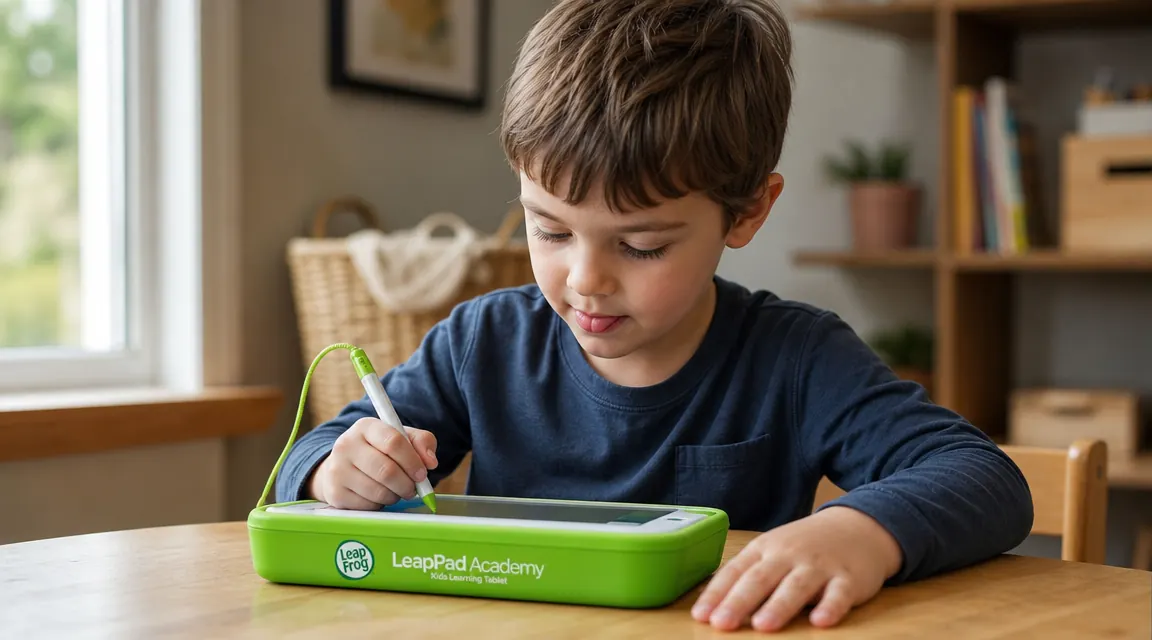
Here is where my early childhood background gives me a perspective that most parent reviews miss. LeapFrog's learning apps are developed in partnership with education consultants, and it shows. The phonics progression in Letter Factory, for example, follows a genuine phonological awareness sequence: it starts with letter-sound correspondence, moves through short vowel word families, and introduces blending in the same order a solid pre-K reading curriculum would. That is not an accident. Compare that to a random phonics app on a general tablet, where the content is often built by developers who do not have a background in how reading actually develops, and the difference is noticeable.
When I brought a LeapPad unit into my second-grade classroom last November for a small-group differentiation session with three students who were still working on phoneme blending, I was curious whether the activities would feel babyish or whether they would genuinely address the gap. The answer was somewhere in the middle. The visual presentation is clearly aimed at the preschool crowd, with bright colors and animated characters, but the phonics content itself was appropriate. Two of the three students used it for thirty minutes without complaining. The third felt embarrassed by the cartoon aesthetic. That is worth knowing: for older children with skill gaps, the visual baby-friendliness of the platform can be a barrier even when the content level is right.
Theo, at three and a half, had none of that self-consciousness. He was fully absorbed. After eight weeks of regular use, he could reliably identify all uppercase letters by name and sound, which put him well ahead of the developmental benchmarks I track in my classroom. I cannot attribute all of that to the LeapPad, but the structured repetition it provided was something I did not have time to deliver consistently at home.
Durability: What Four Year Olds Actually Do to This Thing
I have three kids and three cats. Things get dropped, sat on, and occasionally used as a frisbee substitute. The LeapPad Academy has a rubberized outer bumper that handles normal abuse well. In fifteen months of Theo's daily use, plus classroom handling by groups of second graders who are not exactly gentle, the screen is scratch-free and the casing shows only minor scuff marks. One corner of the bumper has a small tear where Theo caught it on a door handle, but it is cosmetic and the device still functions perfectly.
The stylus is the weak point, and I want to be specific about why. The stylus itself is fine. The problem is the tether, a thin plastic loop that attaches the stylus to the tablet's corner. On Theo's unit, that tether snapped at the four-month mark. We did not lose the stylus, but it became a separate object that now lives in a small cup on the kitchen counter. If your child is younger or more active, buy a small pencil pouch to store the stylus separately from day one. The tether will not last.
The charging situation deserves a mention. The tablet charges via micro-USB, which feels dated in a world that has mostly standardized on USB-C. We had cables already, so it was not a problem practically. But if you are buying this as a gift, include a micro-USB cable or verify the recipient has one. The tablet does not include one in every packaging configuration.
The phonics progression in Letter Factory follows a genuine phonological awareness sequence. That is not an accident, and it is not something you find in most tablet apps built by developers without an education background.
The Learning Path Feature: Genuinely Useful or Just a Checkbox?
The LeapPad Academy includes a Learning Path feature that tracks your child's activity and logs progress over time. As a teacher, I was skeptical of this feature before I used it. A lot of educational tech promises data and delivers a vanity dashboard. The LeapPad's version is more useful than I expected, though it has limits.
After a month of use, I could pull up a report showing which skill categories Theo had practiced, how much time he had spent, and which specific activities he returned to most often. The system also suggested next-step apps based on his pattern of use. For a parent who is not a teacher, this is meaningful. It gives you something concrete to talk to a preschool teacher about and a rough picture of where your child is building confidence versus where they are avoiding challenge.
What it does not do: provide anything close to a diagnostic assessment. It tracks time and activity, not mastery. If your child breezes through a letter-matching activity in thirty seconds and moves on, the system logs it as completed. There is no adaptive engine checking whether they actually understood it before advancing. That is fine for a consumer device, but parents should not treat the Learning Path report as a substitute for a real developmental screening.

Who Gets the Most Out of This Tablet and Who Should Look Elsewhere
After a year and a half with this device across home and classroom contexts, here is my clearest thinking on fit.
The LeapPad Academy earns its price for children between about age three and six who have not already had a general-purpose tablet. For that child, it is a first device that is difficult to misuse. There are no ads. There is no open browser. There is no app store that a determined four year old can navigate to something inappropriate. The content ceiling is a few years away, and the phonics and early math apps are strong enough to give them a meaningful head start. That is a real value proposition.
It is also worth considering for families doing structured homeschool at the preschool level. The curriculum alignment makes it a reasonable supplement to a formal early childhood program, and the Learning Path gives homeschooling parents a lightweight way to track skill exposure across the year.
It is a weaker fit for children who are already reading basic books, who are older than seven, or who have had significant exposure to a general tablet and will experience the LeapPad as a downgrade. I would also steer away from it if your primary concern is a wide variety of content over many years. The app library is not growing meaningfully, and a child with a long learning horizon in front of them will outgrow the platform within a year or two of consistent use.
How It Compares to a General Kids Tablet for Learning
I get this question from parents in my classroom constantly: why not just get a Fire Kids tablet and load it with learning apps? It is a fair question, and there is not one right answer.
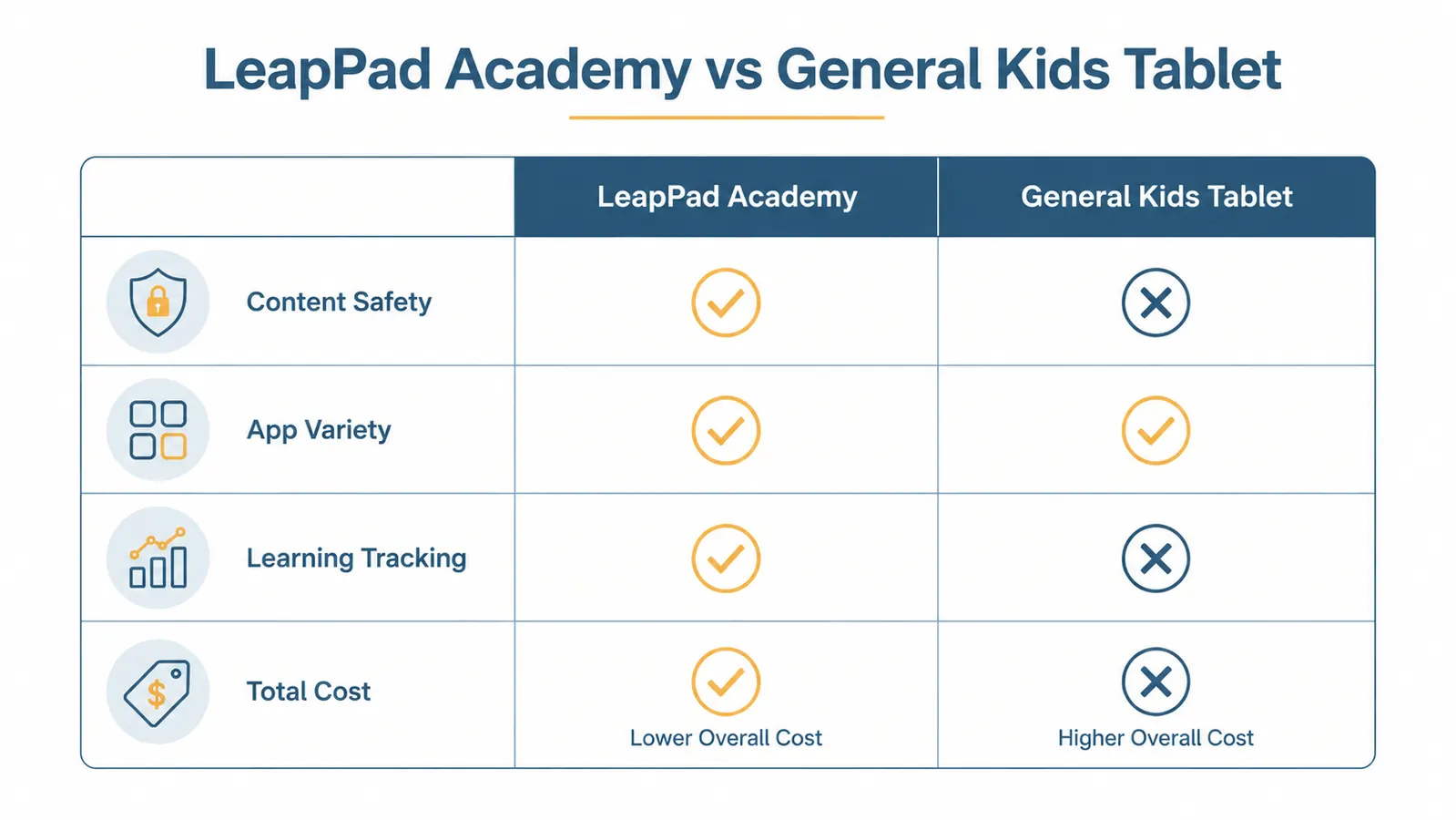
The general tablet gives you flexibility. Amazon Kids+ includes thousands of books, apps, and videos. The content library grows constantly. The hardware is faster and the screen is sharper. But the environment is fundamentally designed for engagement, not learning. Even with parental controls set tightly, a five year old on a Fire tablet will spend more time on entertaining content than on skill-building content, because the entertaining content is more compelling and the platform does not direct them away from it.
The LeapPad is a different philosophy. It narrows the menu to a set of options that are all at least nominally educational, and it removes the competing entertainment options entirely. For the preschool window, that constraint is a feature. A child who sits down with the LeapPad has a much smaller chance of spending forty minutes watching a cartoon character unbox toys than a child with access to a general kids tablet, even a well-parented one.
My honest take: for a child under five who is getting their first device, the LeapPad's constraints are a genuine advantage. For a child over six who is already reading and needs a wider content library, a general tablet with strong parental controls and a curated app set will serve them better.
What I Liked
- Curriculum-aligned phonics and early math apps developed with actual education consultants
- Completely closed ecosystem means no ads, no browser, no inappropriate content risk
- Durable rubberized casing holds up to normal four and five year old handling
- Learning Path tracking gives parents a usable picture of skill exposure
- Self-directed use: most children in the right age window will engage without being pushed
- No ongoing subscription required for basic use
Where It Falls Short
- Not a replacement for a general tablet: slower hardware, lower screen resolution, smaller library
- App library is not growing and feels thin once a child settles into their favorites
- Additional apps cost extra and a good starter set adds $15 to $30 to the total cost
- Stylus tether is fragile and will likely snap before the first year is out
- Micro-USB charging is outdated by current standards
- Learning Path tracks activity but does not assess mastery, which parents sometimes overread
Who This Is For
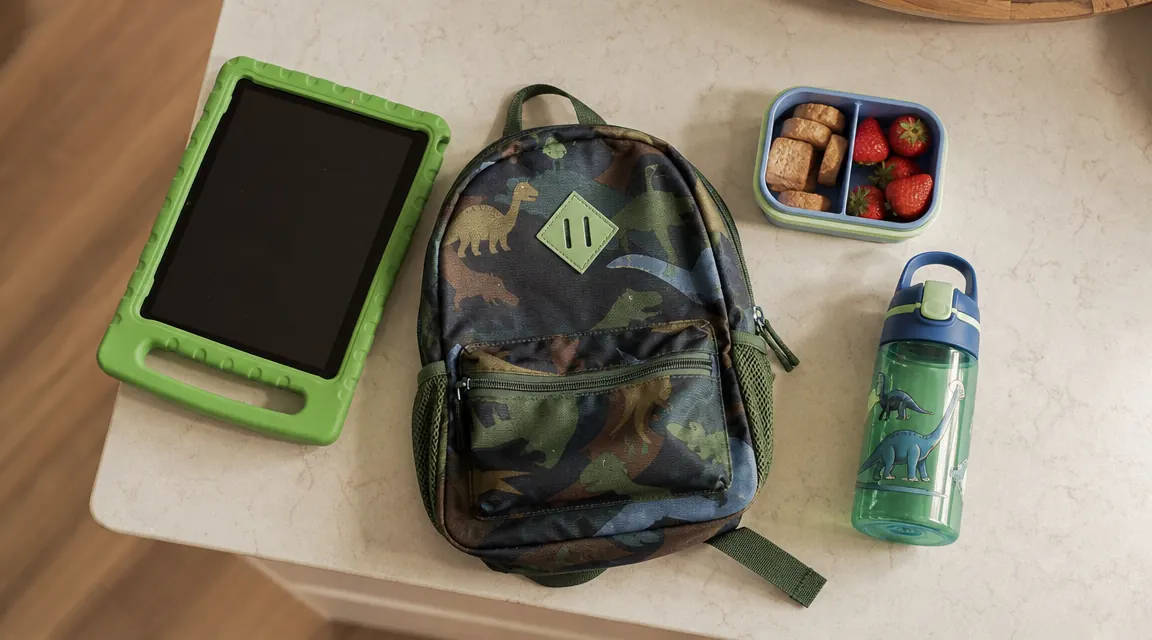
The LeapFrog LeapPad Academy belongs in the hands of children ages three to six who are getting their first device and whose parents want structured learning content rather than open-ended screen time. It is a strong choice for pre-K families, for grandparents who want to give a gift that actually does something, and for homeschooling parents who need a self-directed phonics and math supplement. If that describes your situation, the LeapPad will earn its place on your counter.
Who Should Skip It
Skip the LeapPad if your child is already reading simple books, already has access to a general tablet and resents being downgraded, or if you are looking for a device that will grow with them past age seven. It is also not the right call if your budget is tight and you need one device to serve multiple children at different developmental stages. At that point, a general kids tablet with a good parental control setup will stretch further.
The right learning tool for the right window makes all the difference.
For children ages three to six who are building early literacy and number sense, the LeapFrog LeapPad Academy offers a focused, ad-free, curriculum-aligned learning environment that general tablets simply do not replicate. See the current price on Amazon and decide whether it fits the child you have in mind.
Amazon Check Today's Price on Amazon →